01 What changed — a PLY import gives you 3DGS
Just pick a PLY or SPZ from File > Import and it arrives as a Point Cloud object.
Its type is "3D Gaussian Splats", and it renders in Workbench, EEVEE and Cycles.
Every splat carries these attributes.
| Attribute | Content |
|---|---|
| position | Position |
| scale | Size |
| rotation | Orientation (quaternion) |
| radiance:base | Base color and opacity |
| radiance:sh_0… | Spherical harmonics (view-dependent color) |
- Spherical harmonics up to degree 3 (45 coefficients) are imported and rendered.
- Coordinates are converted automatically, so the scene lands Z-up.
- Delete Geometry in Geometry Nodes crops a region while keeping it 3DGS.
- The Set Point Cloud Type node switches between splats and plain points.
02 Test setup
| Item | Detail |
|---|---|
| Blender | 5.3.0 Alpha (main.1a542e41319f / 2026-09-18) |
| GPU | RTX 5090 32GB / driver 610.47 |
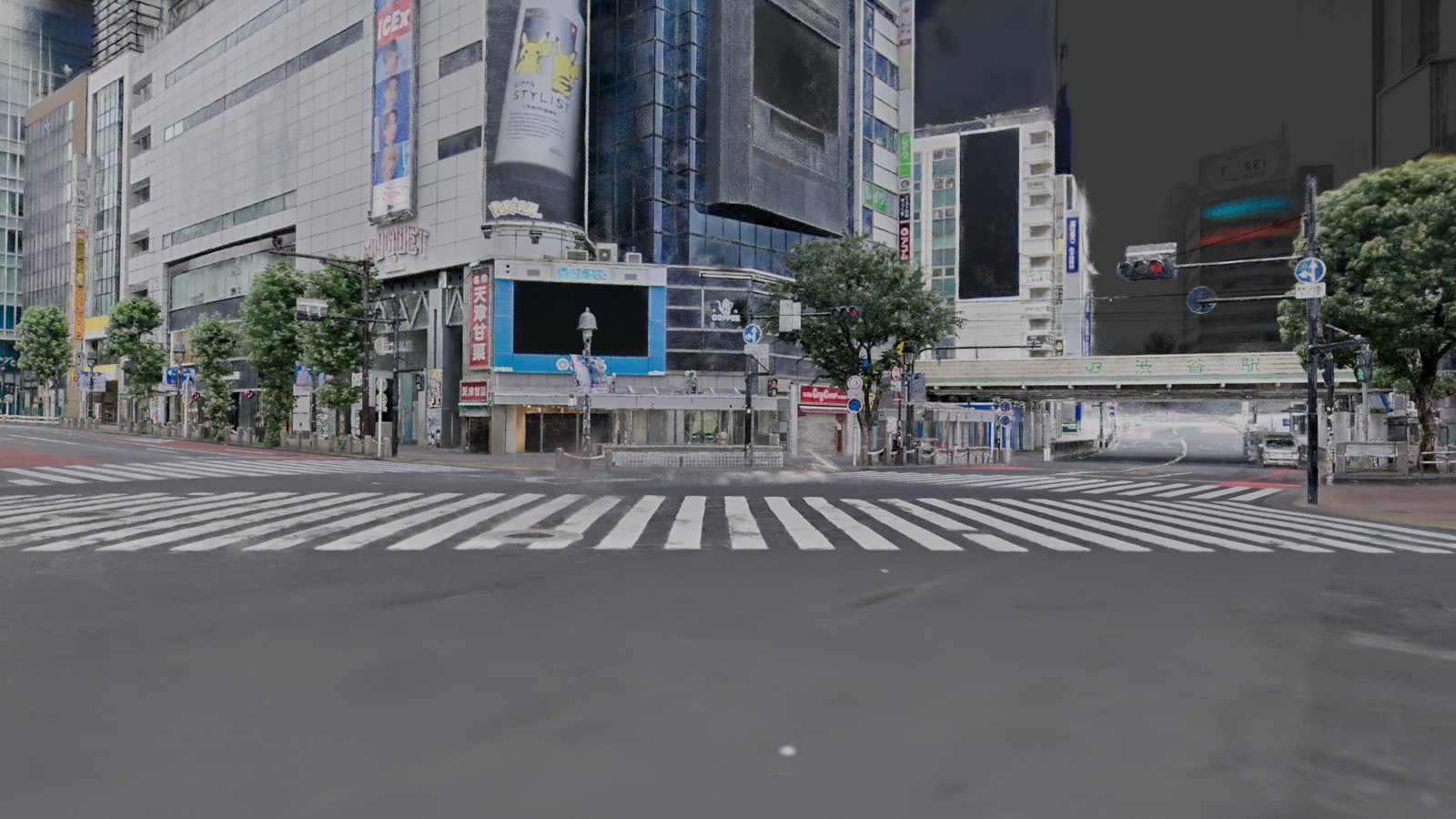
| Data | Shibuya Scramble PLY / 17,201,445 splats / 1.17GB |
| Subsets | Evenly thinned 100K, 1M and 4M splats |
| Output | 1920×1080 / 64 samples / Cycles without denoising |
Figures are medians of three runs.
The first render includes shader preparation and is listed separately.
03 Performance — about two seconds per frame at 17.2M splats
| Splats | Import | EEVEE (first / after) | Cycles GPU (first / after) |
|---|---|---|---|
| 100K | 0.01s | 0.69 / 0.19s | 1.26 / 0.48s |
| 1M | 0.08s | 0.75 / 0.32s | 0.80 / 0.65s |
| 4M | 0.31s | 1.08 / 0.59s | 1.23 / 1.04s |
| 17.2M | 1.6s | 2.41 / 1.73s | 2.78 / 2.57s |
Even at 17.2M splats, a frame takes 1.7s in EEVEE and 2.6s in Cycles.
A 24-frame camera move rendered at 1.52s per frame in EEVEE and 2.47s in Cycles.
Memory stays at 3.2GB of RAM and about 5GB of added VRAM.
The 17.2M-splat .blend is 919MB; it saves in 0.34s and reopens in 0.6s.
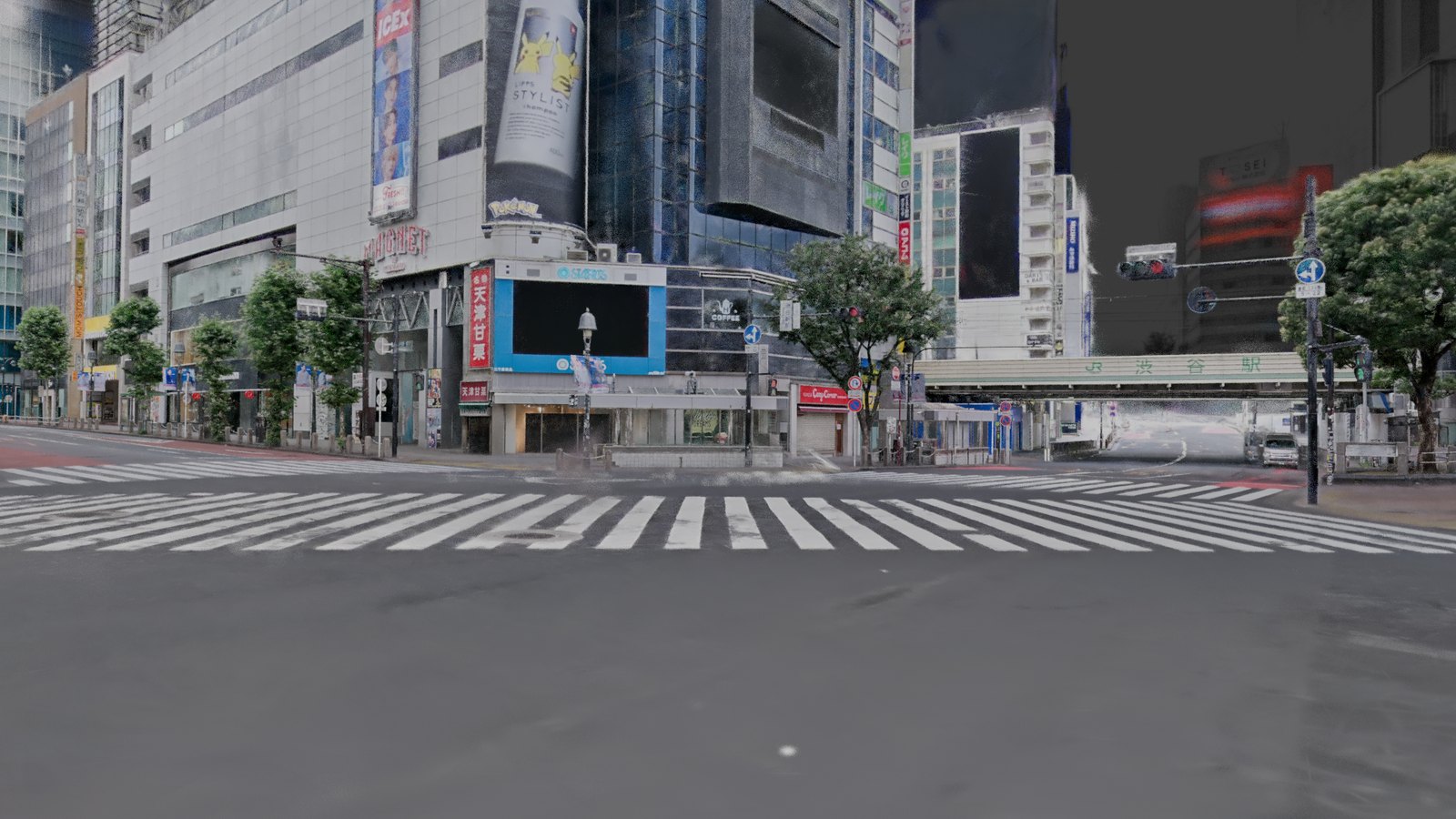
The release notes say performance is not ideal yet, but on this machine it is practical.
Results will differ on weaker GPUs or on data with many spherical harmonics.
Thinned data shows gaps between splats, so use the full scan for production.
04 Compositing basics work as they are
| Feature | EEVEE | Cycles | Use |
|---|---|---|---|
| Transparent background | ○ | ○ | Hand off with alpha |
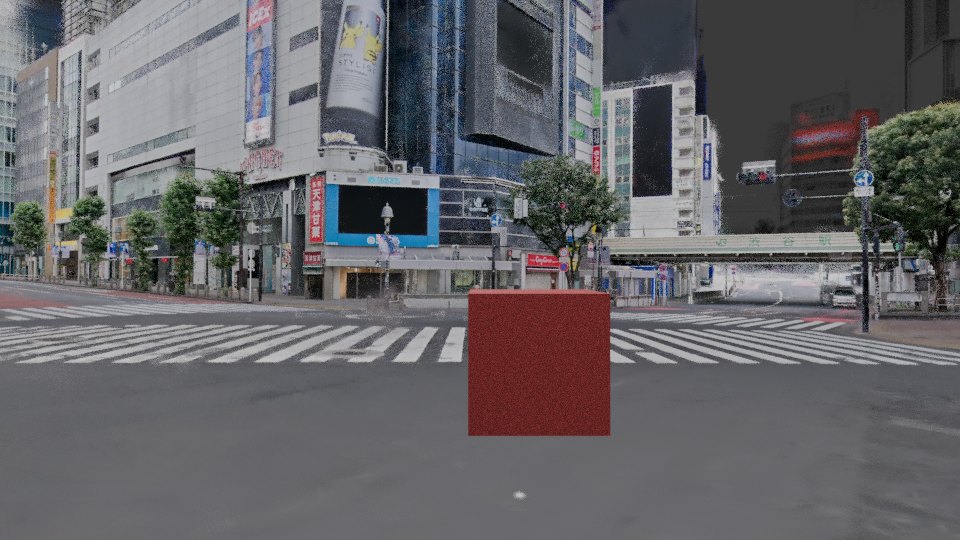
| Occlusion with CG | ○ | ○ | Foreground CG layers correctly |
| Holdout | ○ | ○ | Cut splats out with CG |
| Shadow catcher | — | ○ | Extract CG shadows only |
| Depth of field | ○ | ○ | Apply at render time |
| Motion blur | ○ | △ | Cycles produced ghosting with these settings |
| Depth / Normal passes | △ | △ | Values exist, with holes and noise |
| Mist / Position / Vector / Cryptomatte | ○ | ○ | Values are written |
05 Four things that stop production use
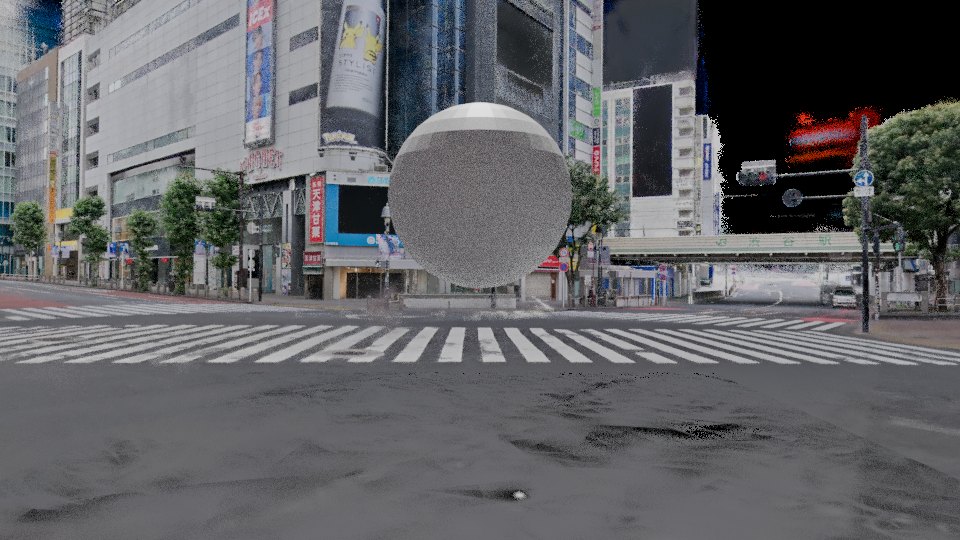
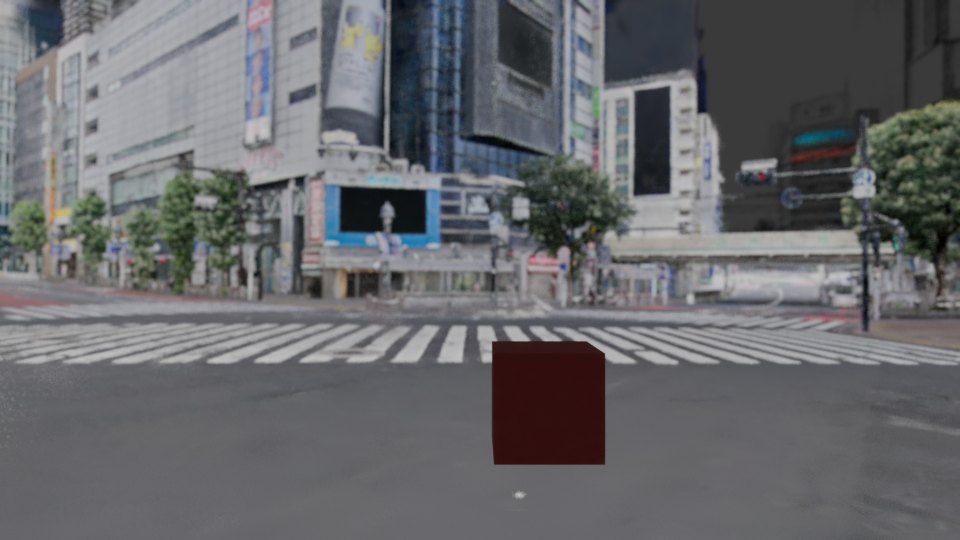
First, lights have no effect.
Splats render as emissive material, with the capture lighting baked into their color.
Even a strong light leaves the color unchanged, so relighting the background, such as turning it into night, is not possible.
Match your CG lighting to the direction of the captured light.
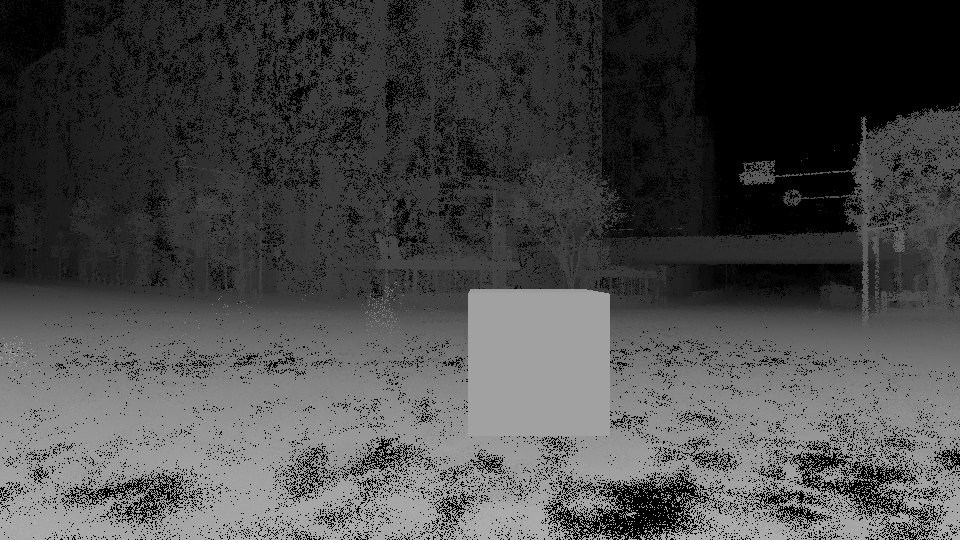
Second, the depth pass has holes.
7.5–8.4% of splat pixels have no depth value.
Semi-transparent splats leave the depth at infinity.
Third, export drops the color.
PLY export writes a file with zero splats, and USD keeps position, scale and rotation but loses color and opacity.
You cannot pass 3DGS to Houdini or Nuke as-is, so render in Blender and deliver EXRs.
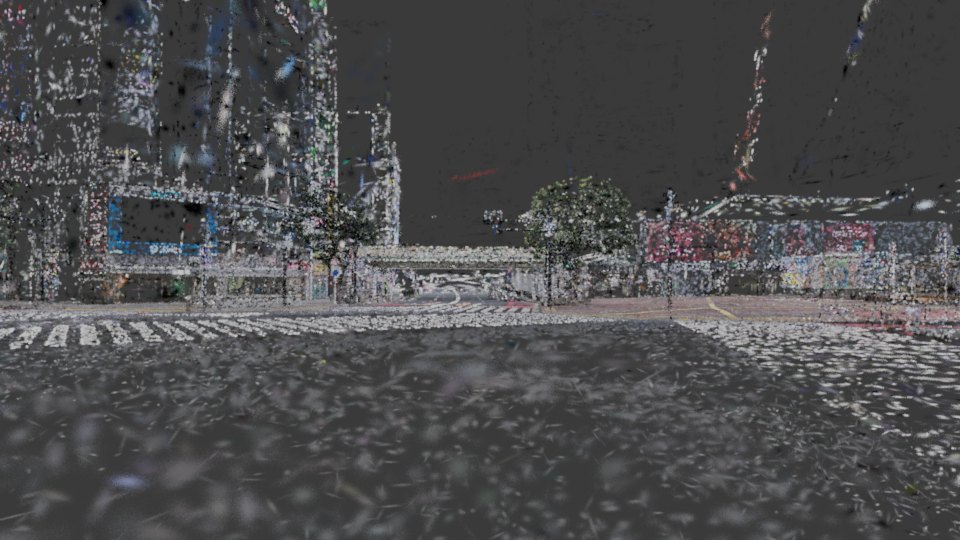
Fourth, Apply Transform breaks the look.
With an object transform nothing breaks, but applying it spreads positions while splat sizes stay the same, leaving gaps.
06 Summary
What Blender 5.3's 3DGS support can do in production fits in three lines.
- Background plates and previs: about two seconds per frame at 17.2M splats, with enough quality.
- Compositing with CG: occlusion, holdout and depth of field work as they are; extract shadows with the shadow catcher.
- Production walls: no lighting response, holes in depth, color lost on export, and Apply Transform breaking the look.
I will revisit SPZ import and real spherical-harmonics data after the stable release.
LOCAHUN 3D scans real places
in a form ready for VFX backgrounds
We capture filmable locations as 3DGS and deliver them in formats you can use in Blender or Unreal Engine.
From background plates and previs to VFX compositing, tell us what you need.