I’m Kou from Locahun3D. An earlier GPT edit of a Shibuya 3DGS render gave me the photographic look I wanted. Could that look carry into a moving shot? I started with still-image refinement, then tried Kling, Wan, Seedance and Aleph.
Each image and clip includes its generation cost, expressed in US dollars using Runway’s purchased-credit rate. Subscription, capture and production costs are separate.
Conversion basis: US$0.01 per credit
01 Refine still images
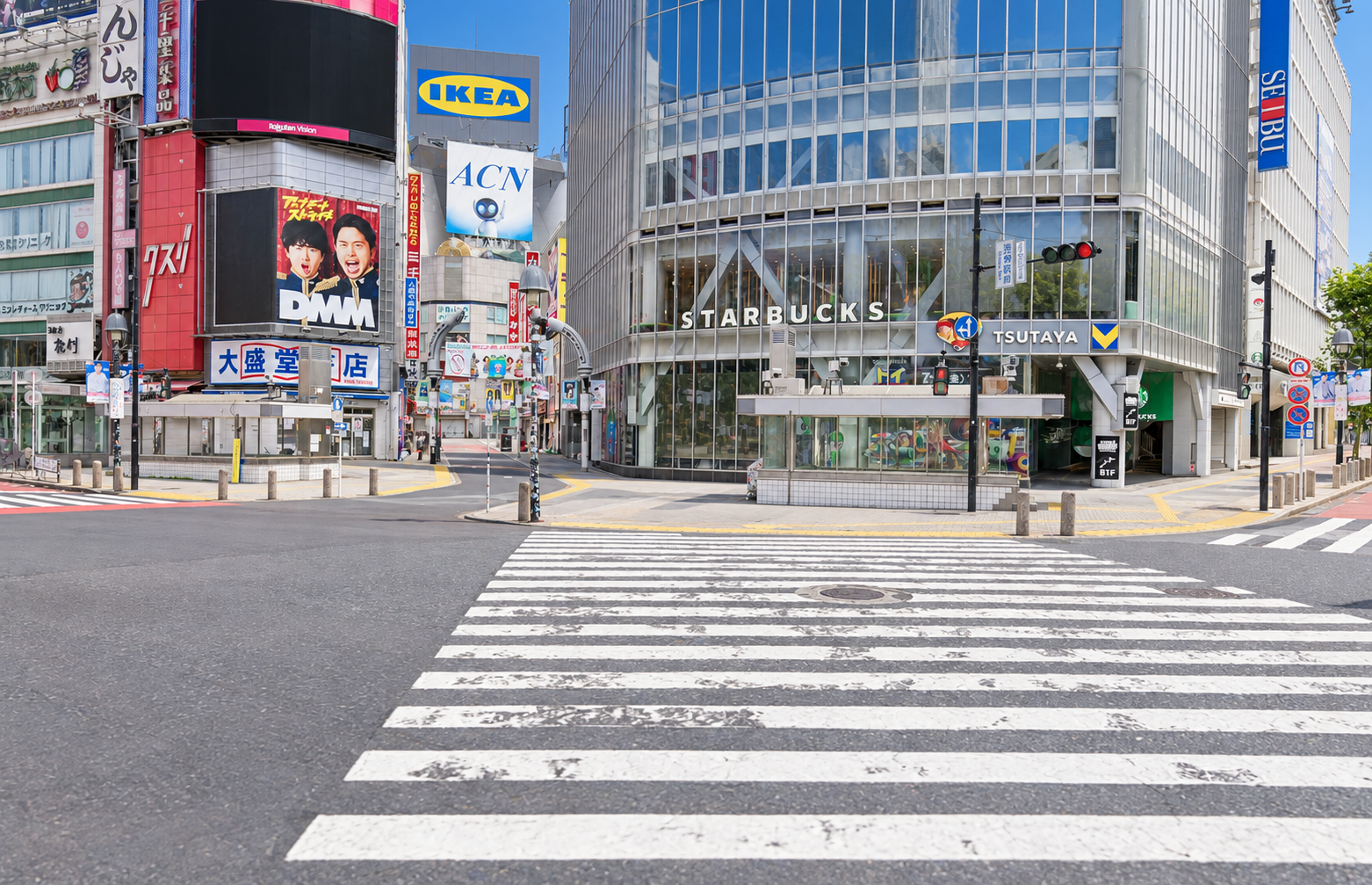
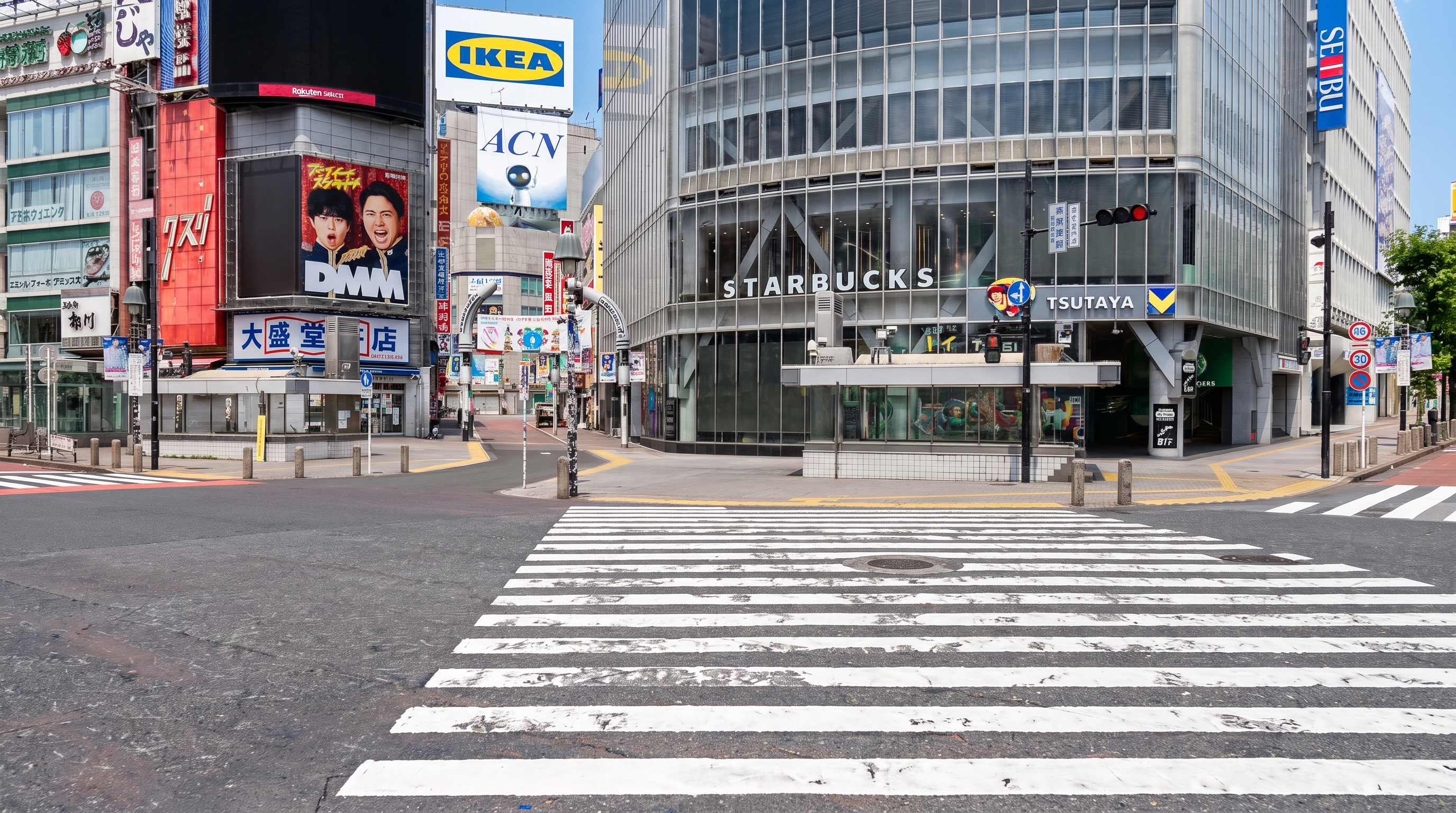
First, I gave Nano Banana and Seedream the same 3DGS image and asked for a sunny midday architectural photograph. Alongside light and materials, I wanted to see how much each would change the composition. The output aspect-ratio settings differed.
Shared input
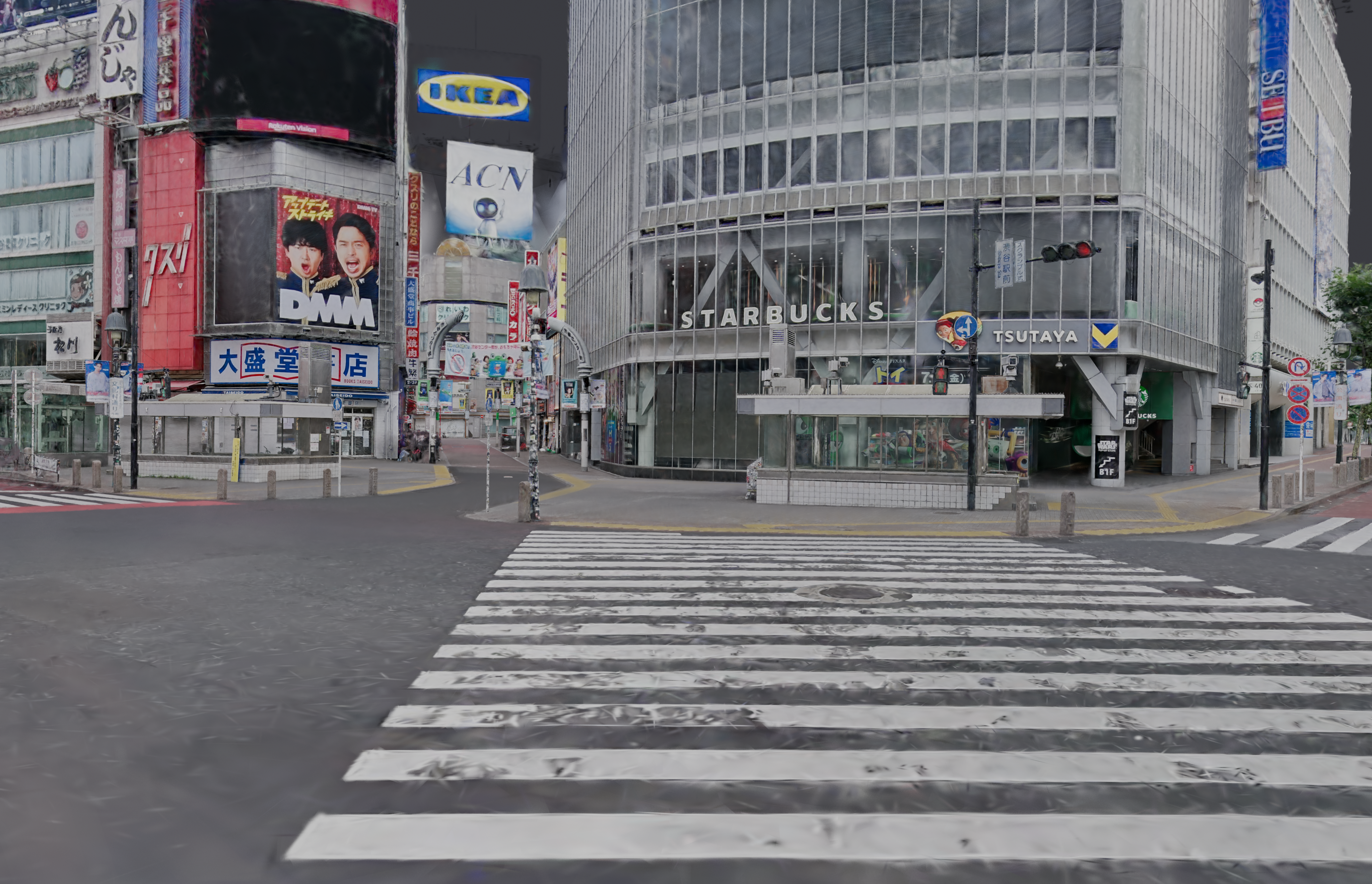
The GPT image that started this test
Its individual generation cost was not recorded.
Nano Banana Pro
US$0.20 equivalent
Seedream 5.0 Pro
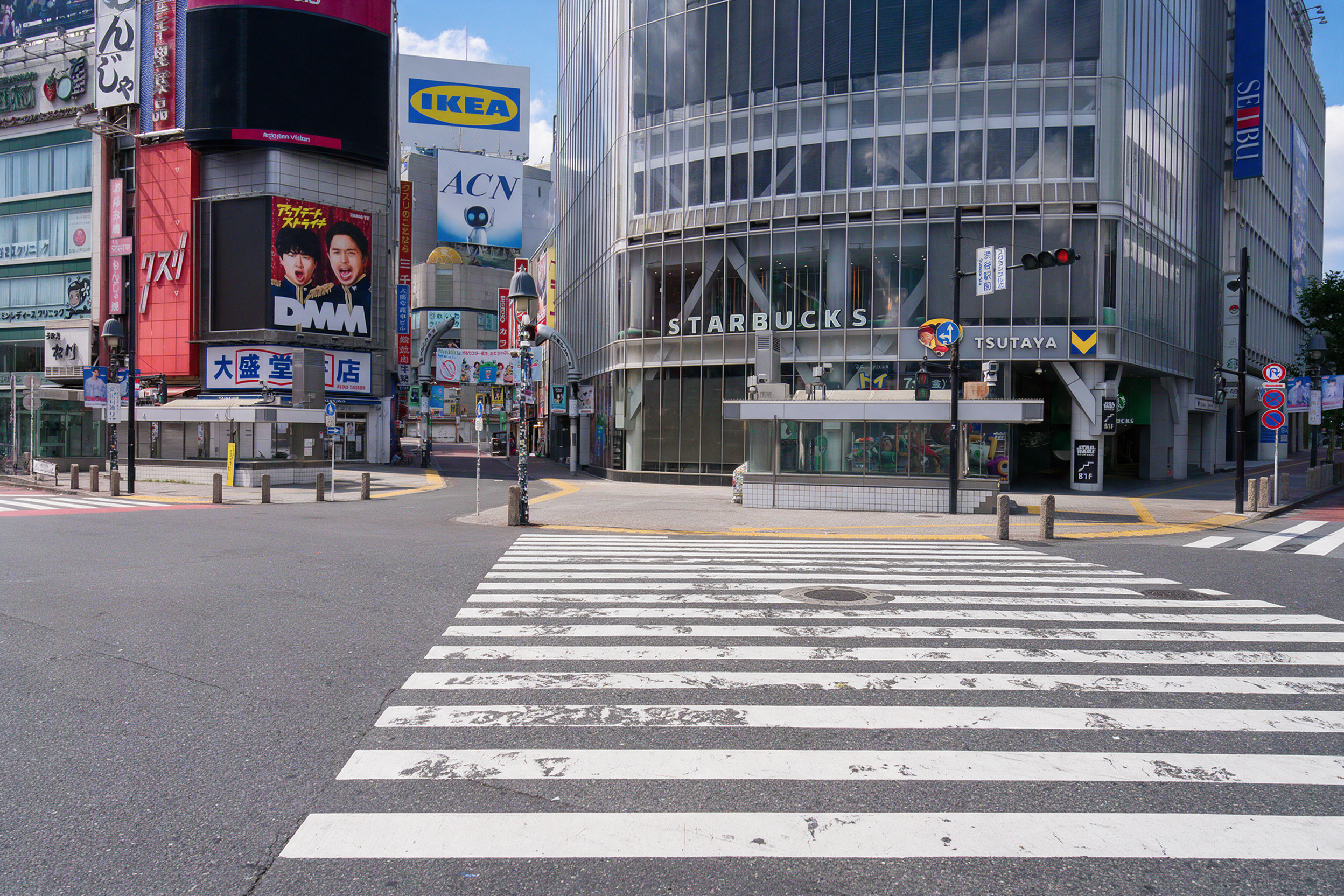
US$0.09 equivalent
For this image, Nano Banana’s brighter materials stand out. Seedream keeps closer to the original framing, but I would want to lift the darker finish. Both redraw details in the signs and buildings. An attractive image and a faithful location are two different things to look for.
Side-by-side still comparison
US$0.20 equivalent
US$0.09 equivalent
02 Animate with Kling
Next, I used Kling 3.0 Pro to animate both images with the same three-second forward move. The Seedream image was centre-cropped to 16:9.
From the Nano Banana image
From the Seedream image
The photographic finish carries into motion. What catches my eye is the appearance of people and advertisements on screens that were originally black. The clips evoke the street, but those additions matter when the actual signs need to stay as they are.
Side-by-side review
Image + video: US$0.56 / US$0.45 equivalent
03 Compare orbiting videos
I also wanted to try a slight orbit, where the buildings are seen from a changing angle. I rendered a three-second, six-degree move in Full HD with Blender’s LCC2_DIRECT, using the captured 3DGS colour without added lights. This new shot is the starting point for the orbit tests.
Wan 3.0
For Wan 3.0, I compared a single first frame with the full 3DGS video as input. Both used the same prompt and Full HD, three-second settings.
First frame only
US$0.60 equivalent
3DGS video reference
US$0.60 equivalent
US$0.60 equivalent each
Seedance 2.5
With Seedance 2.5, I tried adding an image to show the intended finish. I generated one clip with the video alone and another with the same video, prompt and a Seedream reference image. Both were set to Full HD and four seconds: follow the source for three seconds, then hold for one.
Auxiliary image
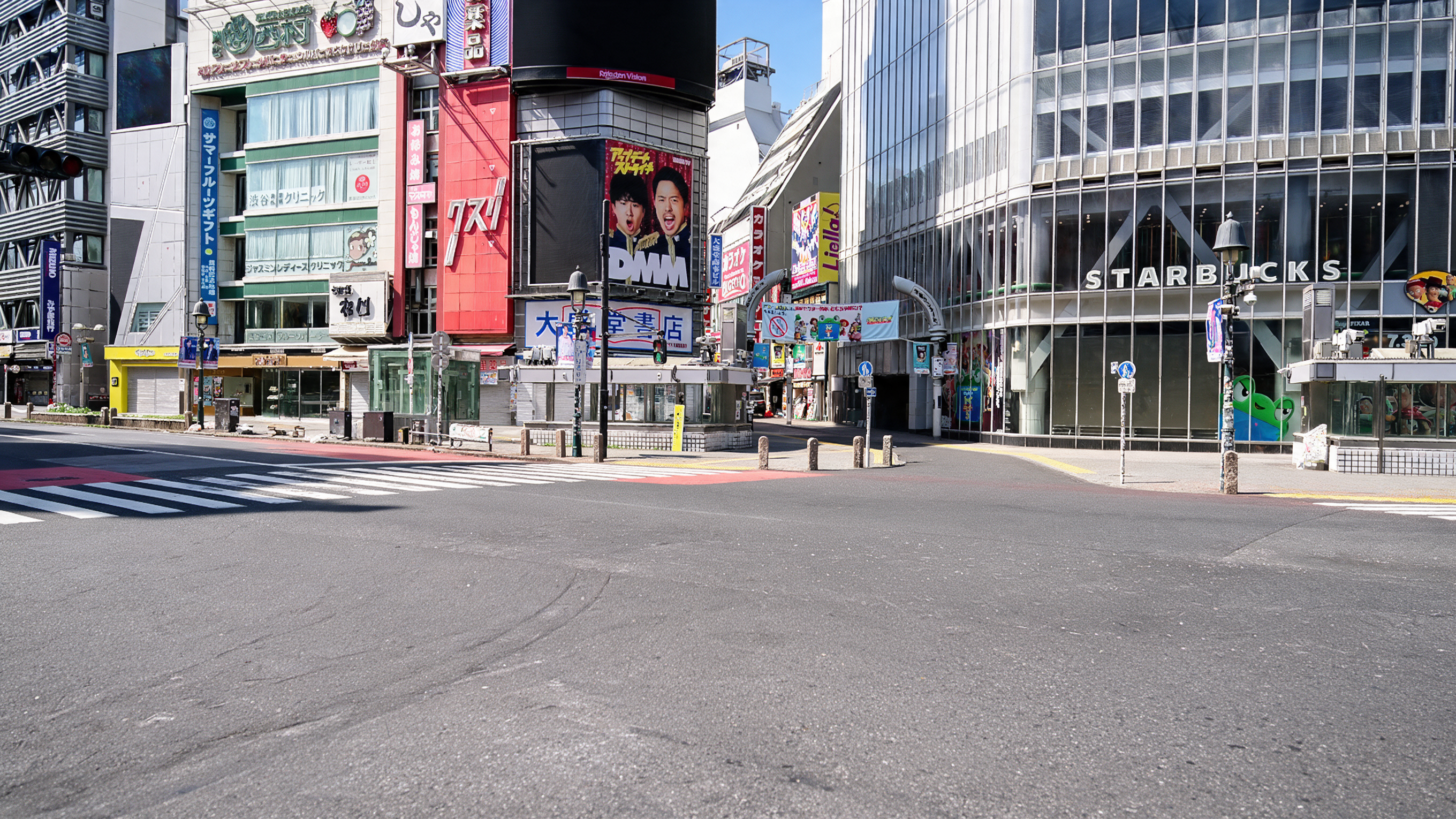
US$0.09 equivalent
3DGS video only
US$3.74 equivalent
3DGS video + Seedream reference
Image + video: US$3.83 equivalent
The poster makes the reference image’s effect easy to see: the artwork disappears with video alone but remains when the image is added. Yet another STARBUCKS wordmark appears on the right, absent from the source’s first frame. The image guides the finish without fixing every detail.
US$3.74 / US$3.83 equivalent, including the image on the right
Compare Wan and Seedance
US$0.60 / US$3.83 equivalent
Side by side, the daylight and materials in the Seedance-plus-image version stand out. The reference image, prompt and requested duration also differ here. I see this as a comparison of ways to build a shot, rather than a ranking of the models alone.
Does a video reference preserve the camera?
Video reference brought the motion closer to the source than a single image did. Still, pausing at the same moment reveals shifts in building positions and shapes. These tests supply rendered frames, not Blender camera data. For compositing, that gap between the planned camera and the generated shot matters.
Including the Aleph clip below, the generations shown here cost US$10.62 equivalent. Including an Edit attempt left out of the Full HD comparison brings that to US$12.27. Repeated views of the same output count only once; the earlier GPT image and tests outside this article are excluded.
Seedance settings
Each Seedance condition was generated once. Both originals are Full HD and about four seconds long, without colour correction or AI upscaling. The Wan comparison uses the first three seconds at their original playback speed. An earlier Edit output was 720p and is not shown alongside the Full HD results.
Costs and comparison edits
The generations were made through Runway, with costs calculated from the actual balance changes. Side-by-side videos are comparison edits. Where frame rates differ, frames were selected or repeated to keep the original timing. See Runway’s pricing page for current rates.
04 Set the look in an image, then carry it into video
The approach I found promising was to establish the finish in Seedream, then supply that image alongside the original 3DGS video. A still gives a concrete reference for the light and materials I want. For the final test, I tried this combination with Aleph.
Seedance and Aleph: appearance and cost
The Seedream reference improved Seedance’s sunny finish and poster retention. That workflow cost US$3.83 equivalent for about four seconds, including the image. The Aleph shot below cost US$0.93 for three seconds. With different lengths and settings, I would weigh the changes to signs and windows alongside the price.
What matters when adding CG
A photographic finish does not remove camera or geometry shifts when it is time to add CG. Full HD describes the frame size, not how much detail it contains. Looking at the small lettering and window frames, I still want more clarity.
Lighting needs its own treatment. The shadows from capture are baked into the 3DGS colour, so adding a light does not simply change their direction. To add CG to these clips, I would start by matching the background’s sun and exposure, then work on contact and shadows. That work comes after the generation shown here.
Taking the Seedream image into Aleph
I registered the Seedream edit as the custom first frame in Aleph 2.0 Edit Studio and supplied the original 3DGS clip. Below is the resulting three-second Full HD video, without further colour correction or AI upscaling.
Image + video: US$0.93 equivalent; video alone: US$0.84
The daylight on the road and glass brings the original 3DGS closer to a photograph, and the large DMM poster survives. Looking closer, though, faces and small lettering have been redrawn, and the orbit still drifts from the source. There is promise in carrying a finished still into motion. For work that needs the actual location intact, preserving those details is the next problem to solve.
Aleph generation notes
The Aleph generation used existing credits worth US$0.84. I reused the Seedream image from the earlier comparison. Including its US$0.09 cost, this workflow totals US$0.93 equivalent.